CONFIGURE · OPTIMIZE
Settings
Agent Party Command Menu
Settings Loadout
Tune account systems, rep-page operations, workspace links, and village interface controls from the game menu.
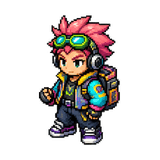
Operator
Operator
Ready for dispatch

District
Settings District
Menu assets: GPT Image 2
Settings Node
Account
Loading...
Settings Node
Google Workspace
Loading...
Settings Node
Notifications
Deal Alerts
Get notified when new deals match your vertical
XP Milestones
Celebrate when you hit level-ups and rank promotions
Chat Messages
Receive push notifications for new messages
Guild Events
Alerts for guild raids, challenges, and member activity
Settings Node
Game Preferences
Preferred Vertical
Focus your dashboard and deal feed
Difficulty
Adjusts deal complexity and XP scaling
Agent Popups
Character interjections, idle roasts, and the corner assistant. Off by default.
Settings Node
Audio & Display
Sound Effects
Play sounds for XP gains, deals, and notifications
Animations
Enable motion effects and transitions
Compact Mode
Reduce spacing for smaller screens
Sound Curator
Rate sounds as they play to curate your audio
Settings Node
Game Engine
Rendering Engine
Choose which engine renders the village and game world
Engine Playground
Compare all engines side by side
Settings Node
Connect Your AI
Connect Your AI
Bring your own AI key (Claude, OpenAI, or Gemini) and it powers your assistant directly — your own metered key, stored encrypted, only yours.
Checking connection…
Use your own Claude subscription Settings Node
Ops Console
Loading Ops Console...
Settings Node
Subscription
Current TierFree
Upgrade Settings Node
Tutorials
Skip All Tutorials
Disable every tutorial overlay, tooltip, and onboarding banner
Replay Village Tour
Reset the guided onboarding to walk through the village again